


This article is relevant if your manufacturing team is on NetSuite and you want to empower planners with more intuitive demand, supply, work center, and machine planning tools without compromising your operating model or taking on recurring license fees from third-party add-ons.
TL;DR Summary
NetSuite’s manufacturing and planning foundation is stronger than perhaps its reputation suggests. The record structures, netting logic, pegging relationships, supply recommendations, and work order concepts are fundamentally sound. The real weakness has often been the user experience. Native planning screens are table-driven, cumbersome to navigate, and disconnected from how planners naturally think about time, capacity, and demand.
That gap has historically led companies to stick with their spreadsheets or to believe they need expensive third-party planning tools. But the economics have changed. With AI-augmented design and development, we can now produce highly tailored planning utilities faster and more affordably than before. The result is a new make-versus-buy equation; one that allows organizations to preserve NetSuite as the system of record while shaping more intuitive planning, forecasting, and manufacturing control tools around it.
Background
In our experience, manufacturing teams often need an approach to setup and ongoing planning that goes beyond the default out-of-the-box patterns. The opportunity is not to dismiss NetSuite’s capabilities, but to more carefully shape the environment so that planners can work in ways better aligned with the realities of the business.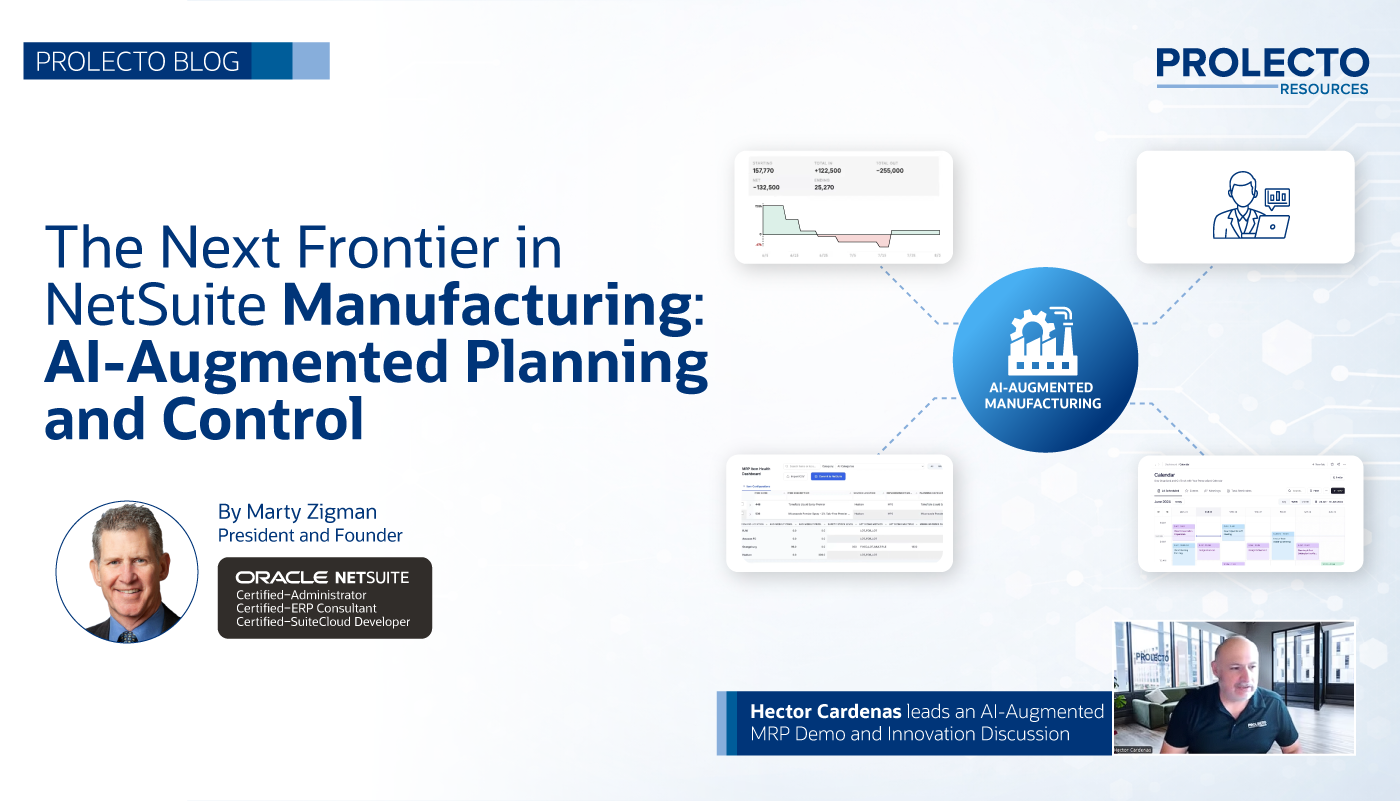
NetSuite’s manufacturing challenge has not been the underlying logic. More often, the issue is that organizations have not carefully modeled the business in ways that allow the platform’s native planning engine to perform as intended. Then, even when the logic is producing sensible recommendations, planners are forced to consume that information through screens that do not reflect how manufacturing teams actually work.
This is the opening that historically fueled the buy side of the make-versus-buy argument. If the standard screens are hard to use and planners keep falling back on their default spreadsheets, third-party planning tools can appear attractive. For a long time, that was an understandable conclusion because highly tailored applications were costly to design and build.
That equation has changed!
In my recent article, I discussed how the AI era is reshaping the make-versus-buy decision for high-performance NetSuite applications.
NetSuite Driven Manufacturing is Now Fully Empowered
Manufacturing is one of the clearest examples of that shift. Today, we can more readily create bespoke planning experiences around NetSuite’s native structures and logic. That means organizations no longer have to assume the answer is another software license, another disconnected planning engine, or another compromise. Instead, they can preserve NetSuite at the core while thoughtfully shaping record structures, demand inputs, and planner views to reflect business realities.
This is precisely what Hector Cardenas, Prolecto’s Operations Practice Leader, and one of his senior analysts have been doing for a consumer goods manufacturer. The client had a prior implementation that covered the basics, but the environment was not deeply modeled around their operational needs. The result was predictable. They had NetSuite, but they were not enjoying the value they expected from the investment. They invited us to unlock the potential they intuitively believed the platform held.
Through our Architectural Roadmap process, we approached the problem differently. We looked at how the business approaches demand forecasting, supply response, work centers, machine capacity, and planning cadence. We focused on how to shape the record structures, so NetSuite could receive the right demand signals and produce the right supply recommendations. Then we focused on how to present that logic back to planners in ways that were more natural and useful.
The result is an AI-augmented planning and control environment that helps the client finally see what NetSuite can do when the business is modeled properly. It also reinforces a point we have made for years: if you know how to work with the platform, there is often no need for unnecessary add-ons or new recurring software fees.
Note, click images to see them in full-screen.
NetSuite Manufacturing Planning Starts with Carefully Modeled Record Structures
The first principle is that NetSuite’s native planning logic deserves more credit than it often gets.
At its core, NetSuite can process item demand signals, net supply against demand, account for safety stock and lead times, generate supply recommendations, and connect the relationship between demand and supply through pegging. These are not trivial capabilities. They are exactly the kinds of foundations a manufacturer needs.
The opportunity is to shape the business inputs correctly so the platform can perform that logic with greater fidelity.
This is why we focus so much on carefully modeled record structures. We must shape the data relationships and demand inputs that NetSuite’s core engine depends on so it can drive the right supply plans from the right item demand signals.
If the item setup is poor, or if the demand model does not reflect how the client actually plans, the output will be disappointing. When that happens, organizations may conclude that NetSuite planning is deficient, when the more accurate conclusion is that the business has not yet been modeled in a way that supports the native logic. This is very good news because capacities can be realized when we take control.
This is especially important in manufacturing because the planning engine is only as useful as the assumptions it is fed. Safety stock settings, lead times, demand timing, replenishment parameters, and related item planning attributes all influence what the system recommends. Likewise, the expression of demand must be meaningful. If the business thinks in terms of item, location, and customer patterns, but the system only receives a partial representation of those needs, planners will feel the disconnect.
When we get the modeling right, the native logic becomes far more valuable. At that point, the remaining weakness is less about calculation and more about usability.
NetSuite MRP Is Strong; the User Experience Has Needed Help
Once the planning structures are properly shaped, NetSuite can produce meaningful recommendations. But then planners must still work through the native interface, and that is where frustration often begins.
The standard Planning Workbench is heavily table-driven. Users may face large sets of planned work orders, transfer orders, exceptions, and supply recommendations that are difficult to interpret over time. Even when the math is good, the presentation can make the logic feel opaque.
This creates several practical problems.
- First, planners do not naturally think in rows of data. They think in dates, supply horizons, bottlenecks, and execution windows.
- Second, it is difficult to understand the causal chain. Users want to know why a recommendation exists, what demand it is pegged to, and what changes if they act.
- Third, the workflow can feel disconnected. Instead of working in one planning context, users often have to bounce between pages, convert recommendations, rerun planning logic, and then revisit the results.
That is the real gap. NetSuite’s core is strong, but the user interface has not always helped planners absorb and act on the logic in intuitive ways.
This is also why so many teams end up exporting information to spreadsheets when they implement NetSuite planning. The spreadsheet is not better logic. Because it gives them control, it is simply a better expression layer for how they want to reason through the plan.
AI Changes the Make vs. Buy Equation for NetSuite Manufacturing
This is where the make-versus-buy conversation becomes more interesting. Again, I reference my recent article, Rethinking Make vs. Buy for High Performance NetSuite Applications in the AI Era.
Historically, it was expensive to create highly tailored planning utilities around a specific client’s manufacturing realities. Even if NetSuite held the right core data and logic, the effort required to build planner-friendly applications often pushed organizations toward generic third-party tools.
But the default user interface tools come with tradeoffs. They force businesses into predefined assumptions. They add their own cost by forcing planners to adapt. And they often fail to reflect the nuances of how a specific manufacturer approaches work centers, machines, or forecasting logic.
AI changes the cost structure because we are no longer constrained.
With AI-augmented design and development, it is now far more practical to create bespoke utilities that fit the client’s actual planning needs while still leveraging NetSuite’s native foundation. That is the breakthrough. We can keep the core logic where it belongs and shape the planner experience around the business rather than around software compromises.
In other words, manufacturers do not necessarily need a new planning engine. Very often, they need better modeling and better expression of the planning engine they already own.
Video Demonstration: Watch the NetSuite-Based AI-Augmented MRP Process
For readers who want to see the thinking demonstrated, the video is here:
What this video demonstration covers. Hector Cardenas and Jacob Powell walk through a working AI-augmented planning environment built on NetSuite’s native MRP engine. They show how planners visualize demand and supply over time instead of reading table-driven screens, how the MRP Item Health Dashboard surfaces incomplete or contradictory item and location planning attributes before they corrupt a planning run, how supply recommendations and pegging are reviewed and acted on, and how tailored planning views are produced quickly with AI-augmented development rather than bought as a third-party planning system. The through-line: NetSuite stays the system of record while the planning experience is shaped around how planners actually think.
Key moments
0:00 — The problem: MRP run in spreadsheets and tribal knowledge
2:00 — NetSuite’s native planning workbench: supply, demand, and the netting function
4:15 — Where the native workbench breaks down for planners
7:25 — MRP Item Health Dashboard: fixing item and location setup data fast
10:10 — Forecasting by customer when NetSuite models only item and location
13:17 — Moving planners from a monthly to a weekly cadence
14:55 — The work center calendar: planned orders as a Gantt schedule
19:48 — Pegging and demand overlay: why each planned order exists
21:49 — Firming and converting planned work orders in place
24:00 — Work center and asset views: capacity and machine-level scheduling
26:49 — What AI-augmented development changes about make versus buy
33:26 — Inventory view: safety stock, shortages, and plan versus actual
Here is the direct link to the video.
A Practical Approach to AI-Augmented Planning and Control
In this client case, that philosophy translated into a set of complementary planning views and controls designed around how planners actually work.
The Key Enabling Capacities
- MRP Item Health Dashboard: Reliable planning begins with reliable setup. In native NetSuite, the item and location planning attributes can be cumbersome to review and maintain because the screens are dense and the critical inputs are not always easy to work through. Yet these inputs are exactly what drive the quality of the supply recommendations. Our MRP Item Health Dashboard offers a more usable environment for planners to review and maintain the planning-driving data. It helps teams focus on the assumptions that matter most, such as safety stock, lead times, replenishment settings, and related item planning characteristics. This is an important bridge because it encourages better data stewardship while giving users a far more practical way to work than the native screens alone.
- Forecasting Editor: In this client’s environment, waiting for actual sales orders is not good enough. Orders arrive too late to meet production lead times. That means the planning process must depend on forecast demand. NetSuite’s item demand plans provide a solid basis, but they are primarily expressed at the item and location levels. Many manufacturers, however, think about demand in a more nuanced way. In this case, the client wanted to consider demand by item and by customer. Rather than forcing a poor workaround, we lightly extended the surrounding model so planners could introduce that customer dimension while still driving the item demand signals NetSuite needs for its supply calculations. Just as important, we helped the organization move from a monthly planning cadence to a weekly one. That transition matters because weekly planning gives manufacturing teams a more natural rhythm for balancing demand and supply timing. It also creates a better bridge between forecast thinking and production execution.

- Work Center Calendar View: One of the most useful planning expressions missing from native NetSuite is a better rough-cut work center view. Once NetSuite produces planned supply orders, planners need to understand the time-based shape of that plan. The Work Center Calendar View addresses this directly. Instead of sifting through rows of planned work orders, planners can see supply recommendations laid out by work center over time. This makes it easier to understand which recommendations require attention, where work is accumulating, and how the supply picture is developing across the planning horizon. The value here is both visual and analytical. A planner can review a planned work order, investigate why it exists, and understand the demand driving it. That demand may stem from a sales order, a transfer requirement, or an item demand plan. This ability to move naturally from a supply recommendation back to a demand driver is one of the most important features for building planner confidence. The calendar view also supports in-context actions. Rather than constantly leaving the planning flow, users can make better decisions while staying close to the plan’s time-oriented representation.
- Machine Operations Planning View: The work center view gives rough-cut orientation. But high-performance manufacturing often demands another layer of expression. Planners and production leaders frequently need to understand not just the work center, but the actual machine or asset on which operations will run. This is where machine operations planning becomes essential. Manufacturers often think in terms of real equipment constraints. They want to know how jobs are laid out across specific machines, how operations are sequenced throughout the day or week, and where conflicts begin to emerge at the asset level. A machine operations planning view provides that next level of precision. This view takes the planning conversation from broad supply alignment into operational practicality. It helps the organization examine how orders may compete for machine time, how operations should be laid out, and where schedule adjustments may be needed to reflect shop floor reality. In many cases, this is where the solution begins to feel truly aligned with the planners and operators who must execute the work. It is worth emphasizing that this is not a replacement for NetSuite’s core logic. It is a better way to express and operationalize that logic. NetSuite has already done the fundamental planning work. The machine view helps people interpret and act on it in the way the business actually runs.
- Inventory Planning Views: Another critical expression layer is inventory planning over time. NetSuite’s netting function performs important work in the background, but users often need help seeing how projected inventory rises and falls in response to incoming supply and outgoing demand. Inventory Planning Views turn that calculation into a forward-looking visual ledger. Planners can see inventory projected over a meaningful horizon, observe where demand is expected to consume supply, and understand where planned orders are intended to replenish inventory before it falls below the safety threshold. This becomes especially valuable when drilling into components for assembled items. A top-level manufacturing plan is only as practical as the availability of the underlying components. By visualizing those projected balances, planners can identify shortages earlier and coordinate responses before material issues disrupt the production schedule.


Key Considerations to Activate NetSuite Manufacturing Capacities
Here is how we approach a manufacturing engagement:
- Shape the inputs before criticizing the outputs: NetSuite’s planning engine depends on well-modeled item and demand structures. Better setup drives better recommendations. We must get this right.
- Model demand the way the business thinks: If the organization reasons in terms of customers, weekly cycles, or other practical dimensions, those realities should be reflected in how planning inputs are shaped. Model how managers think.
- Expose planning in time-based views: Work center calendars, machine operations views, and inventory projections help planners think in more natural operational terms. This will engage their best interpretations and their commitments.
- Use pegging to build trust: The more easily users can see which demand signals are driving which supply plans, the more confidence they will place in the system. Trust is fundamental.
- Bridge the gap from spreadsheets to discipline: Thoughtful utilities can help organizations transition from tribal knowledge and manual planning habits into stronger planning governance without overwhelming users. This requires a particular type of empathy that is reflected in the day-to-day operating tools.
Where Better NetSuite Manufacturing Design Delivers Real Value
What makes this work compelling is that it shows how much value can still be unlocked from NetSuite when the system is treated as an architectural platform rather than judged by its native screens.
The path forward is neither to blindly accept generic user interfaces nor to immediately assume the answer lies in a third-party planning tool. The better question is whether the business has been modeled with enough care, and whether planners have been given the right expressions to use the platform effectively.
That is the essence of the new make-versus-buy conversation in the AI era. AI enables us to create more tailored, more natural, and more powerful utilities that align with the client’s actual operating model. In manufacturing, that means better ways to work with item demand signals, better ways to maintain planning inputs, better rough-cut work center views, better machine operations planning, and better inventory projections.
This is the kind of work Prolecto has been committed to since 2009. We listen carefully, model businesses thoroughly, and shape solutions around the operational realities our clients face. With more than 75 Accelerator Templates and a long-standing practice of sharing intellectual property, algorithms, and practical accelerators at no additional license charge, we help clients unlock greater value from NetSuite. That same commitment also attracts talented professionals who want to build systems with rigor, integrity, and purpose.
If you found this article relevant, feel free to sign up for notifications to new articles as I post them. If you are ready to rethink NetSuite manufacturing planning and build a more intuitive work center and machine-level control environment on top of NetSuite, let’s have a conversation.










