

Do you want a filter on Saved Search results to use Keyword typing instead of a Drop Down? Often, drop-down filters are hard to use in Saved Searches, especially if the list is long. Here are 2 ways to change the filter to support text typing:
AI Summary:
Two quick techniques let saved search users type keywords instead of scrolling long dropdown filters: join to the record and filter on its name field, or expose a Formula (Text) criterion holding the field’s internal id as an available filter.
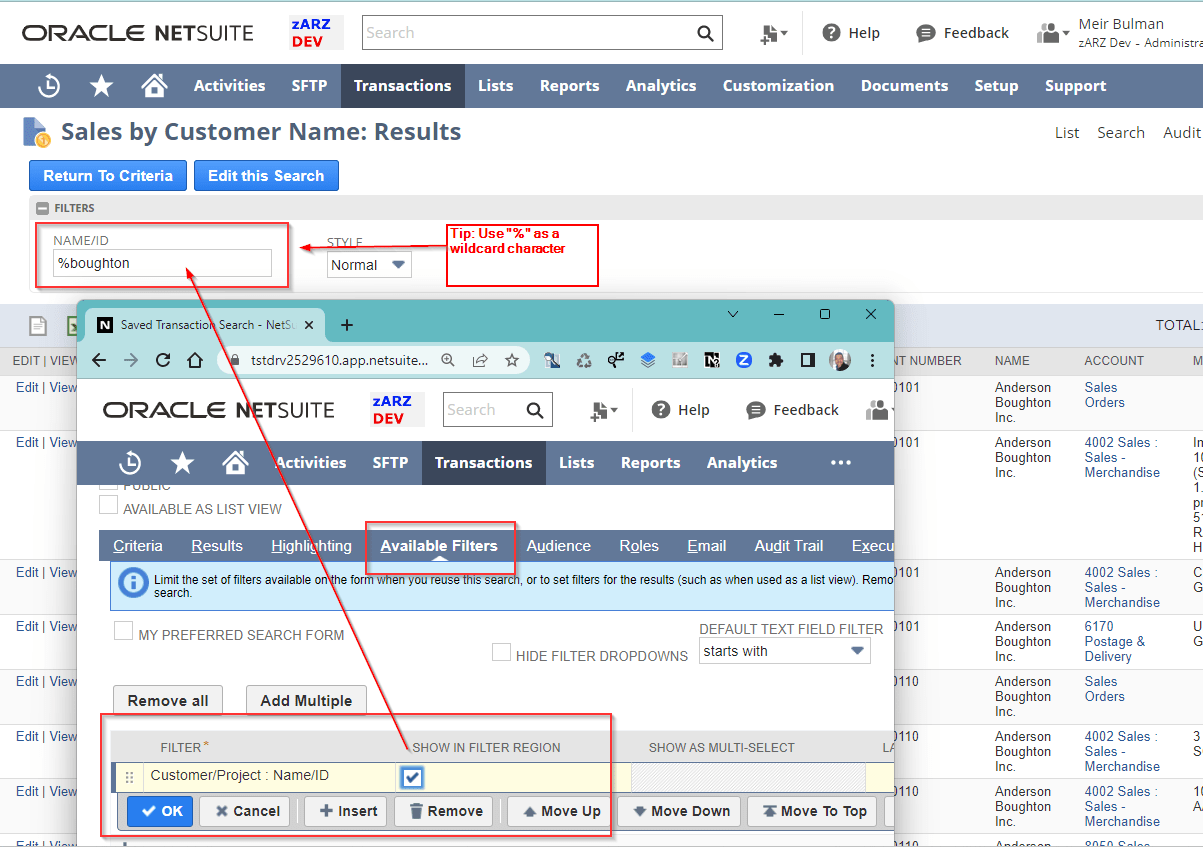
- If the filter is a “joinable” record (e.g. the Customer Name on a Transaction Saved Search): Instead of using the primary field, join the record and use a “name” or similar field.
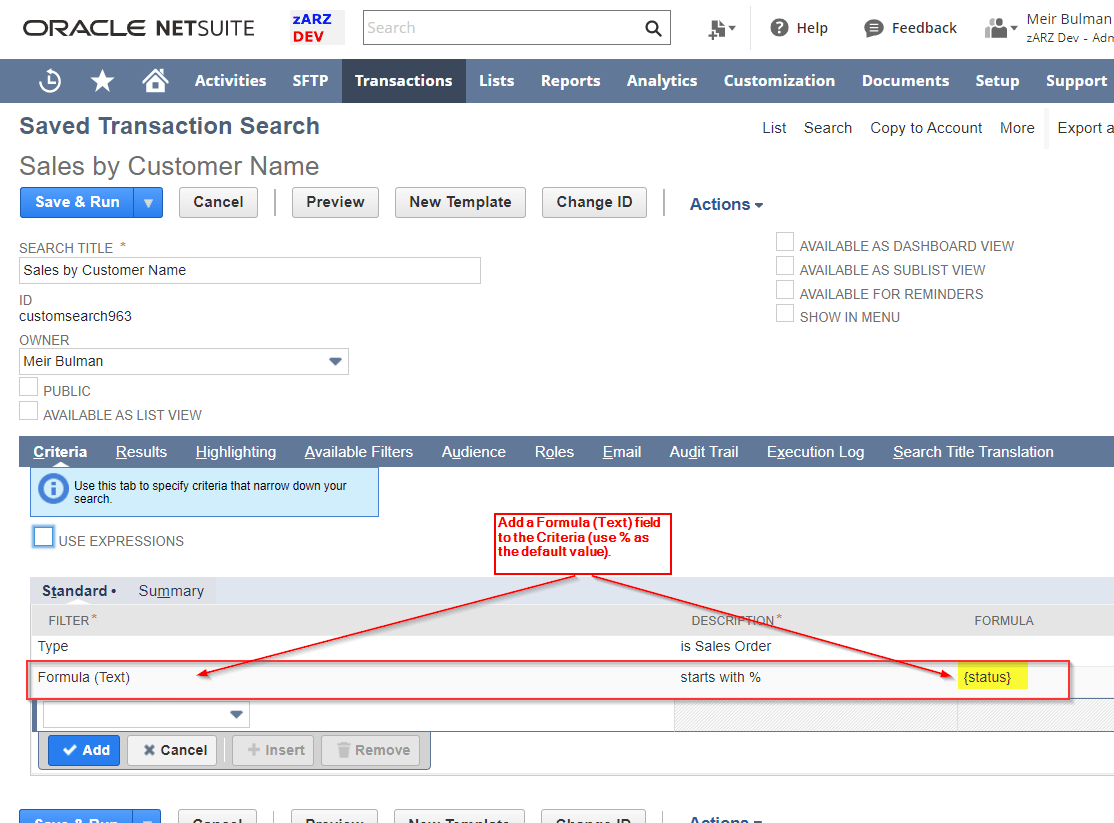
- If the filter is not a “joinable” record (e.g. the Transaction Status field): First, in the Criteria create a Formula (Text) criterion. Next, add “Formula (Text)” as a filter (give it a useful name). The formula should contain the internal id of the field that you want to use as a filter.
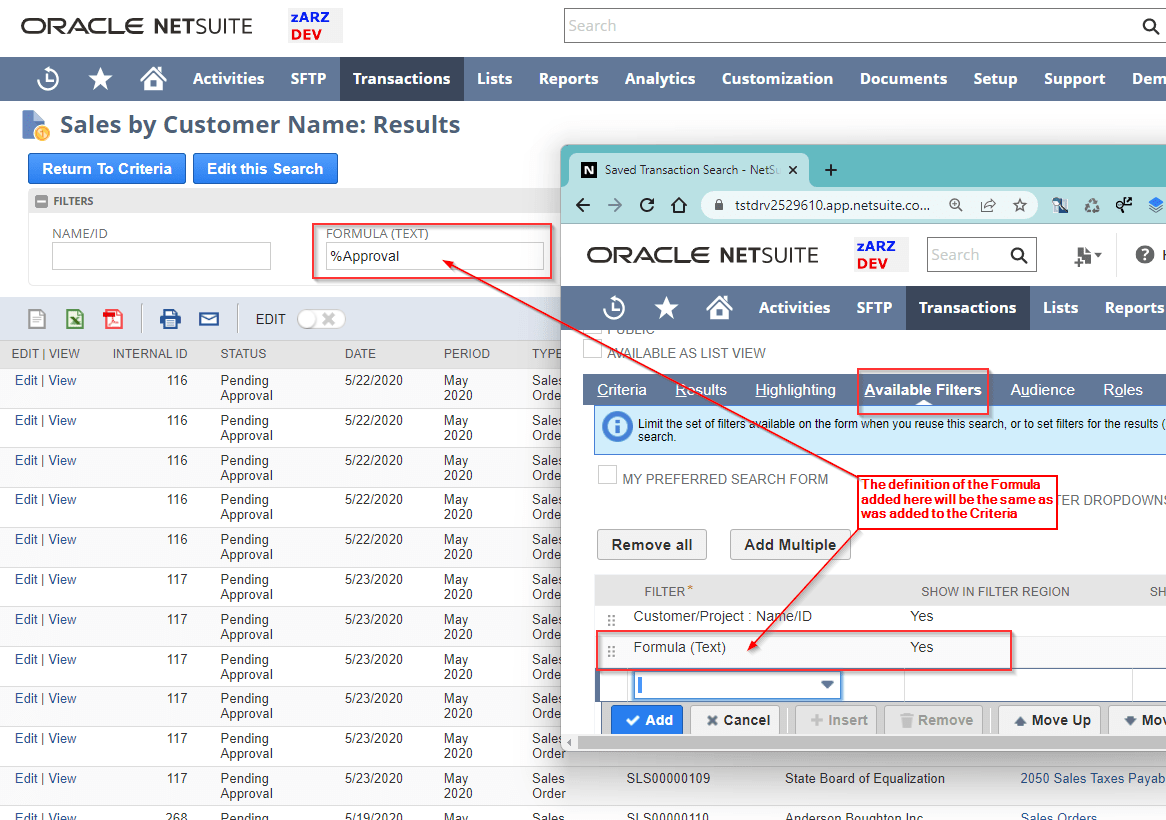
Voila! You then can type text in the Filter you have created, rather than use a drop down. (Hint: The “%” sign in NetSuite is a wildcard character).
Frequently Asked Questions
How do I let users type text into a saved search filter instead of picking from a dropdown?
If the field joins to a record, use the joined name field as the filter instead of the primary field. If not, add a Formula (Text) criterion that contains the internal id of the field and expose that formula as an available filter. The percent sign works as a wildcard.